Integrations

Salesforce Integration
Installation
Autosync
Mapping:
Acquire → Salesforce Field Mapping (When Contact is Selected)
Overview
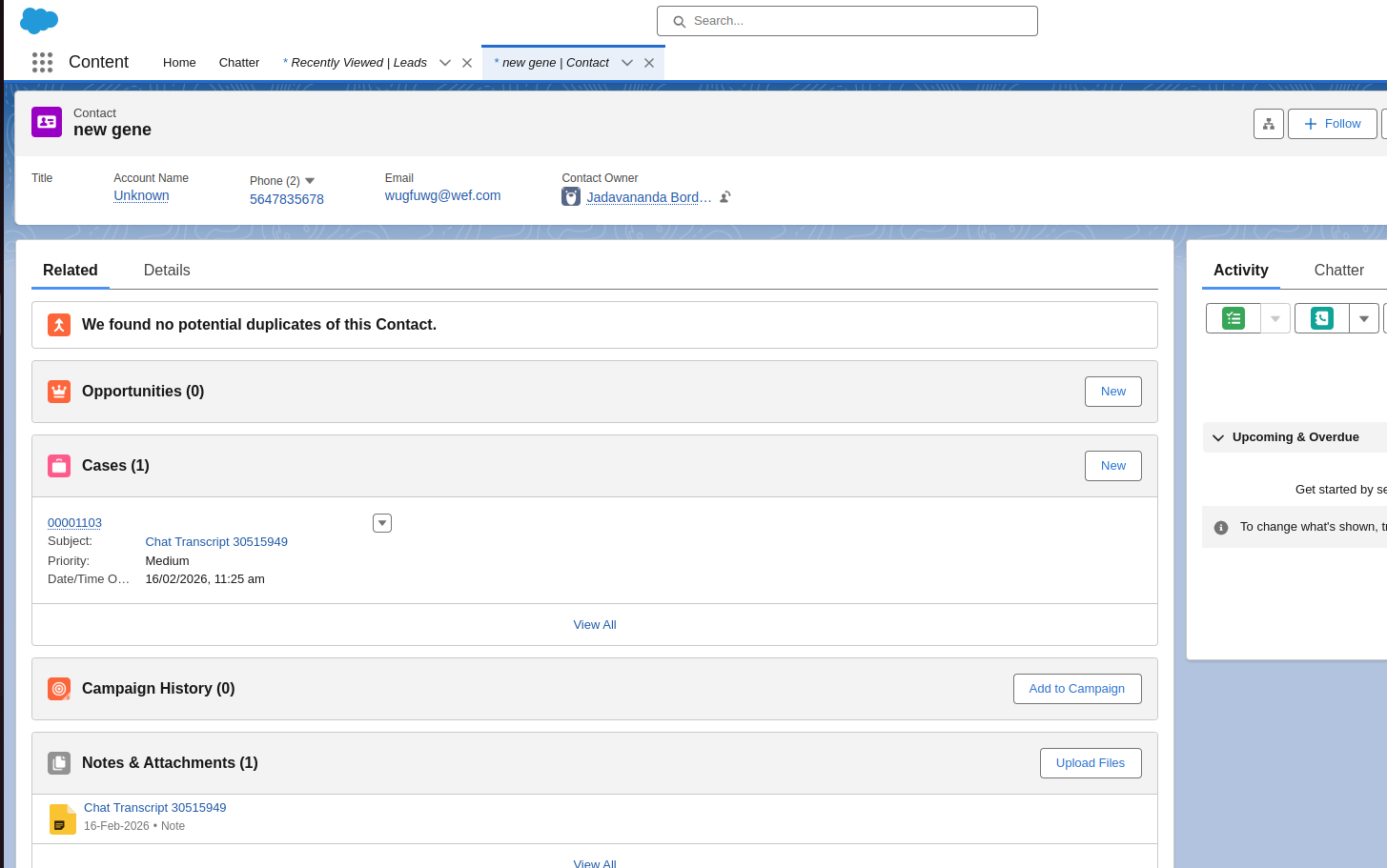
When the Contact object is selected, Acquire maps visitor details and chat data directly to a Salesforce Contact record.
This enables automatic contact creation/updation and attaches the chat transcript to that contact.
Object Selected
Salesforce Object: Contact ✅
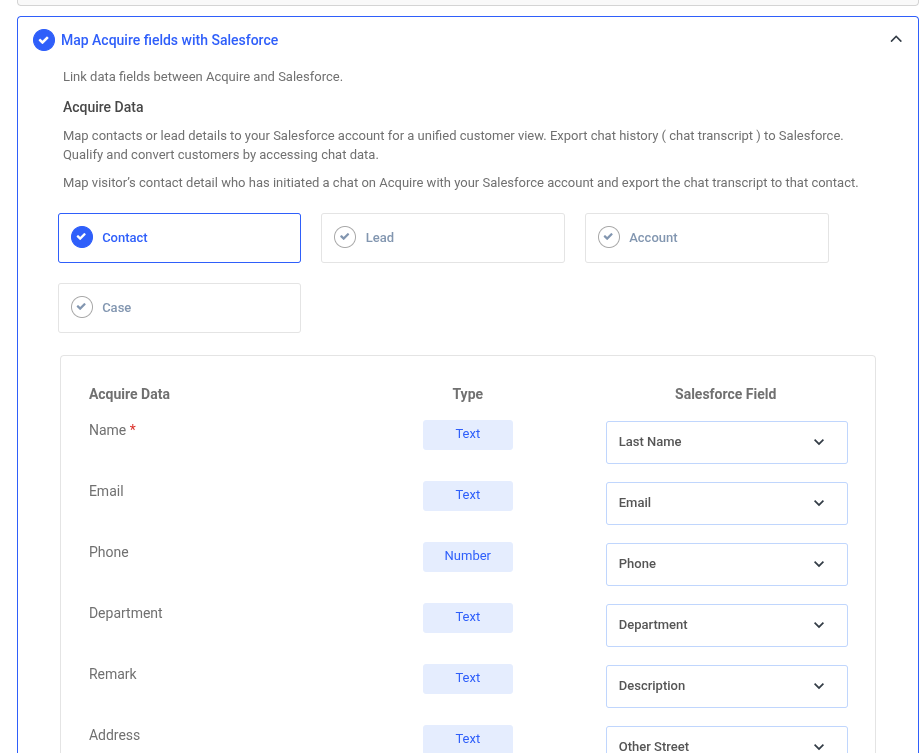
Field Mapping
| Acquire Data Field | Type | Mapped Salesforce Contact Field |
|---|---|---|
| Name* | Text | Last Name |
| Text | ||
| Phone | Number | Phone |
| Department | Text | Department |
| Remark | Text | Description |
| Address | Text | Other Street |
Functional Behavior
1. Contact Identification
When a visitor starts a chat:
Acquire checks Salesforce for an existing Contact using identifiers like:
Email
Phone
If found → the existing Contact is updated
If not found → a new Contact is created
2. Data Sync
The mapped fields are:
Created or updated on the Contact record
Kept structured according to Salesforce field types
3. Chat Transcript Export
The conversation is exported and attached to the same Contact record for future reference.
Acquire ↔ Salesforce (Contact) Field Mapping — Side-by-Side
| Acquire Field | Type | Salesforce Contact Field |
|---|---|---|
| Name* | Text | Last Name |
| Text | ||
| Phone | Number | Phone |
| Department | Text | Department |
| Remark | Text | Description |
| Address | Text | Other Street |
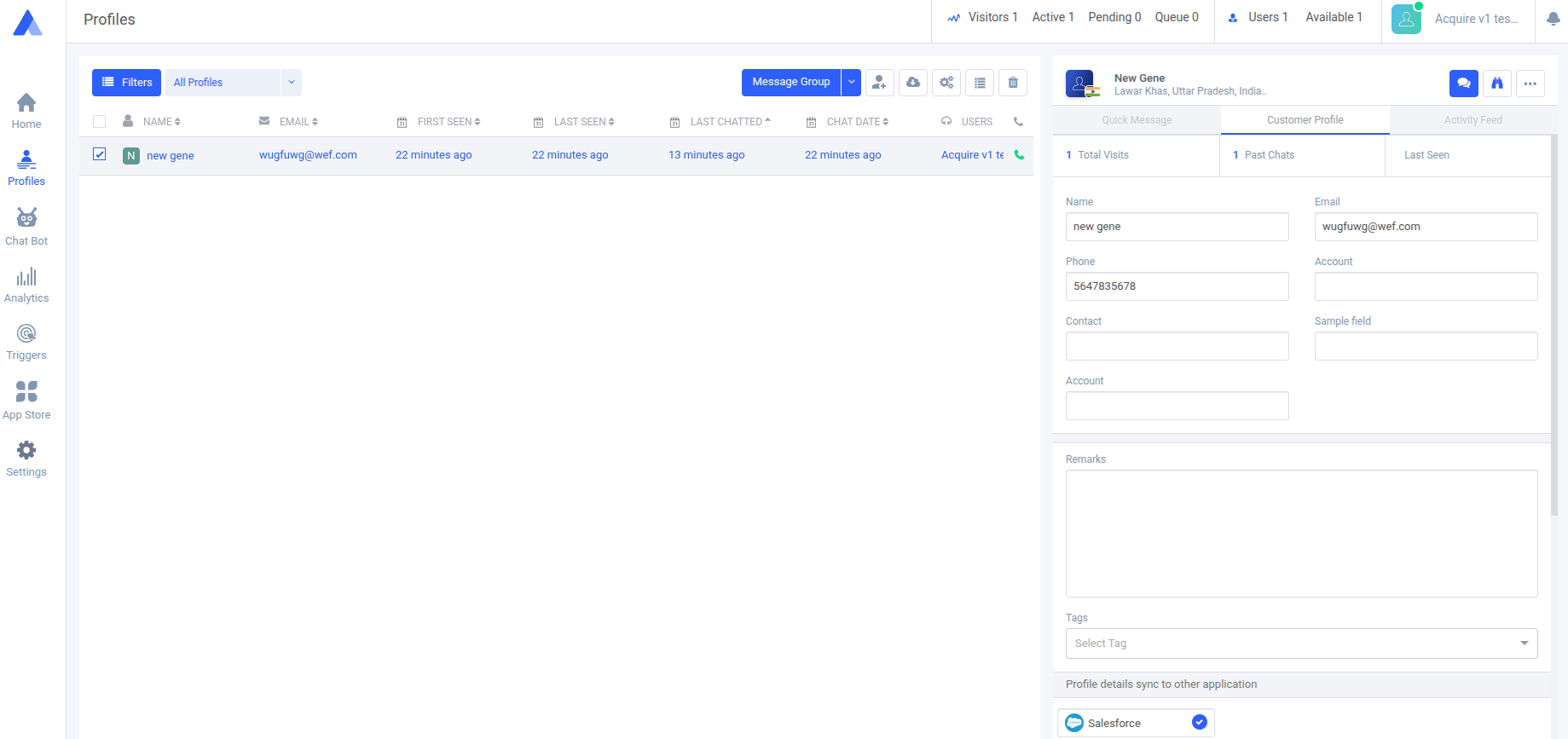
Visual Data Flow (Contact Selected)
Acquire ↔ Salesforce Field Mapping (Object Selected: Lead)
Selected Object
Salesforce Object: Lead ✅
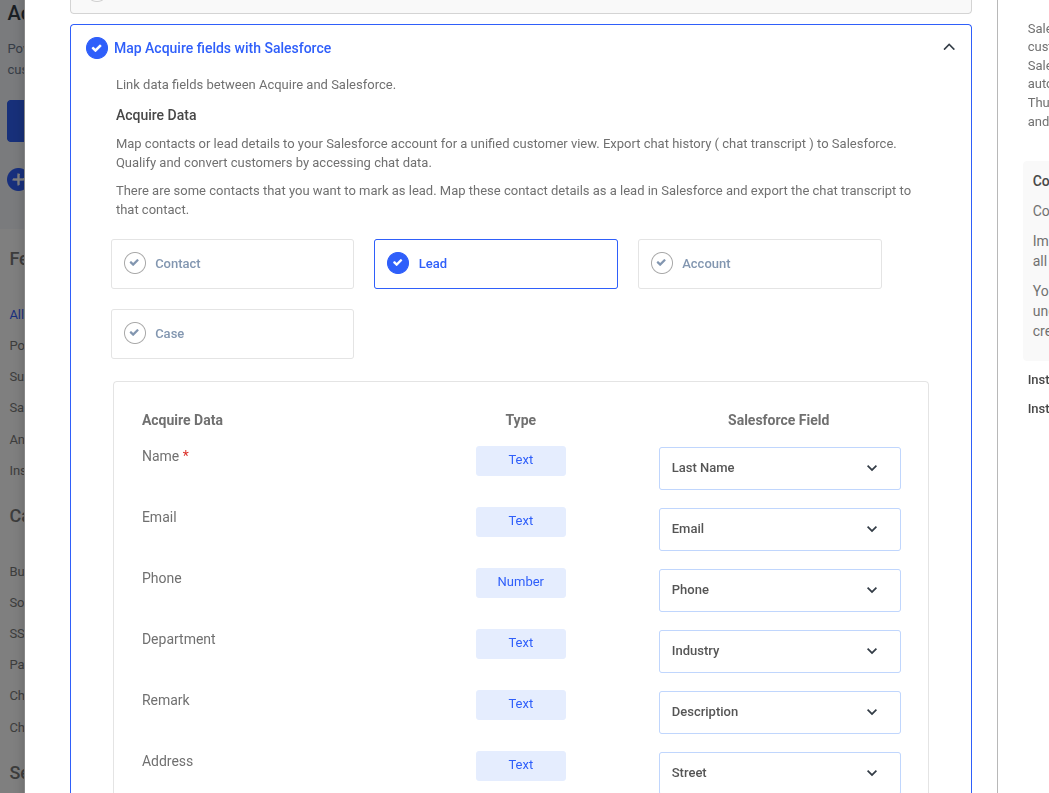
Side-by-Side Field Mapping
| Acquire Field | Type | Salesforce Lead Field |
|---|---|---|
| Name* | Text | Last Name |
| Text | ||
| Phone | Number | Phone |
| Department | Text | Industry |
| Remark | Text | Description |
| Address | Text | Street |
Platforms
Source: Acquire
Destination: Salesforce
Behavior When Lead Is Selected
Lead Creation / Update
Visitor starts a chat in Acquire.
System checks in Salesforce for an existing Lead (commonly via Email).
If found → Lead is updated
If not found → New Lead is created
Acquire ↔ Salesforce Lead Sync — Side-by-Side Data View
Platforms
Source: Acquire
Destination: Salesforce
Synced Object: Lead
Record Created
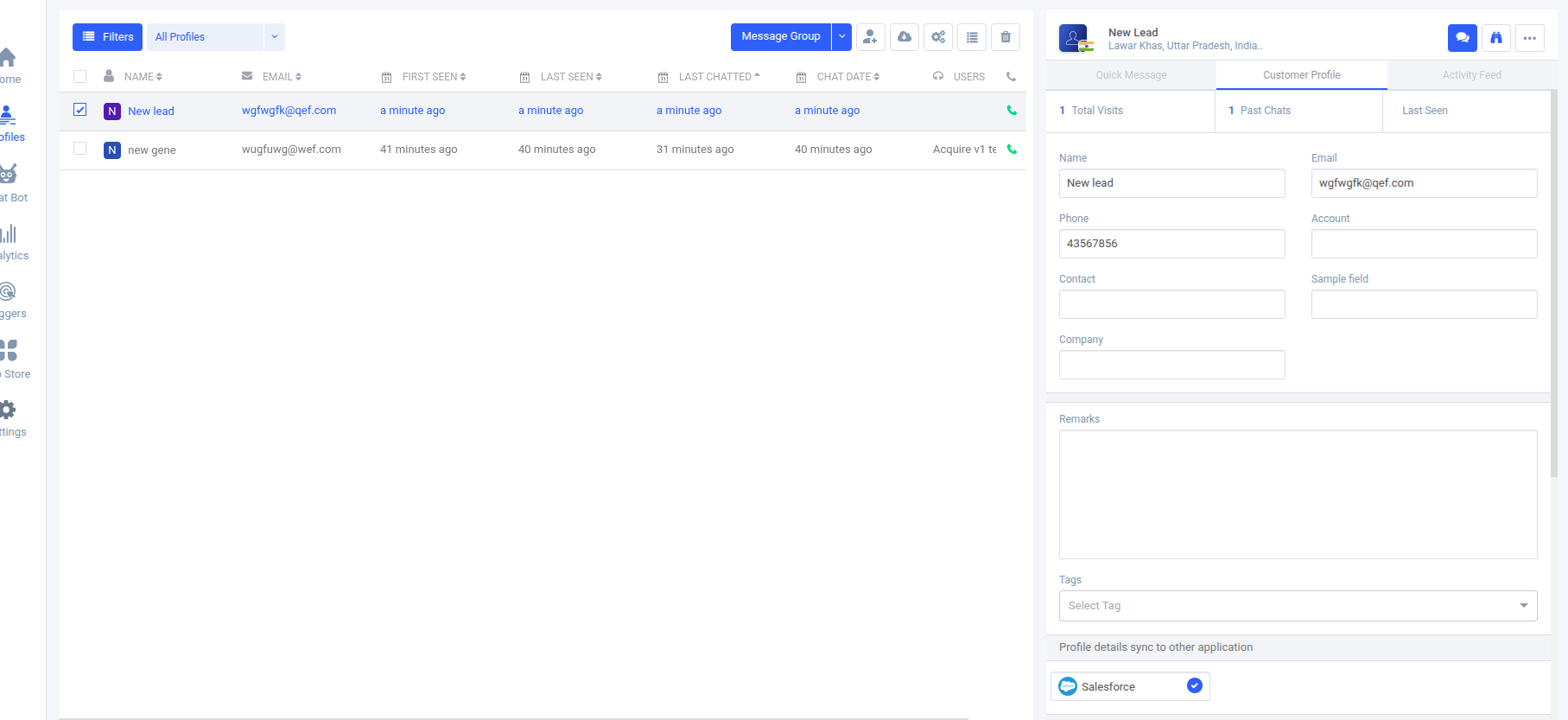
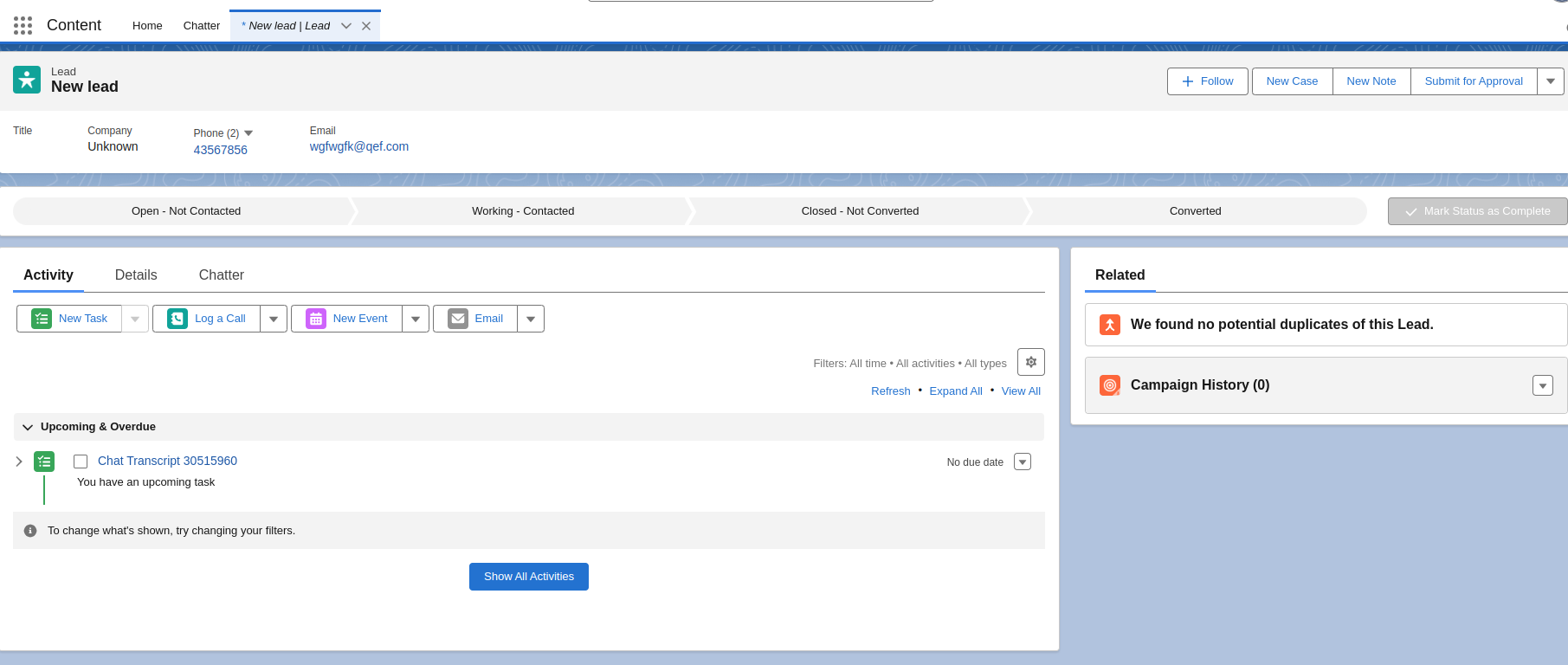
| Acquire (Customer Profile) | Salesforce (Lead Record) |
|---|---|
| Name: New lead | Last Name: New lead |
| Email: wgfwgfk@qef.com | Email: wgfwgfk@qef.com |
| Phone: 43567856 | Phone: 43567856 |
| Account: — | Company: Unknown |
| Contact: — | — |
| Company: — | Company field used by SF |
| Remarks: (empty) | Description: (empty) |
| Tags: — | Campaign History: — |
Activity / Chat Transcript
| Acquire | Salesforce |
|---|---|
| 1 Past Chat | Chat Transcript 30515960 created as Activity |
| Real-time visitor timeline | Task / Activity under Lead → Upcoming & Overdue |
Visual Data Flow (Lead Selected)